Tiny Desk AI Prompt: Tested Video Edits
Last updated:
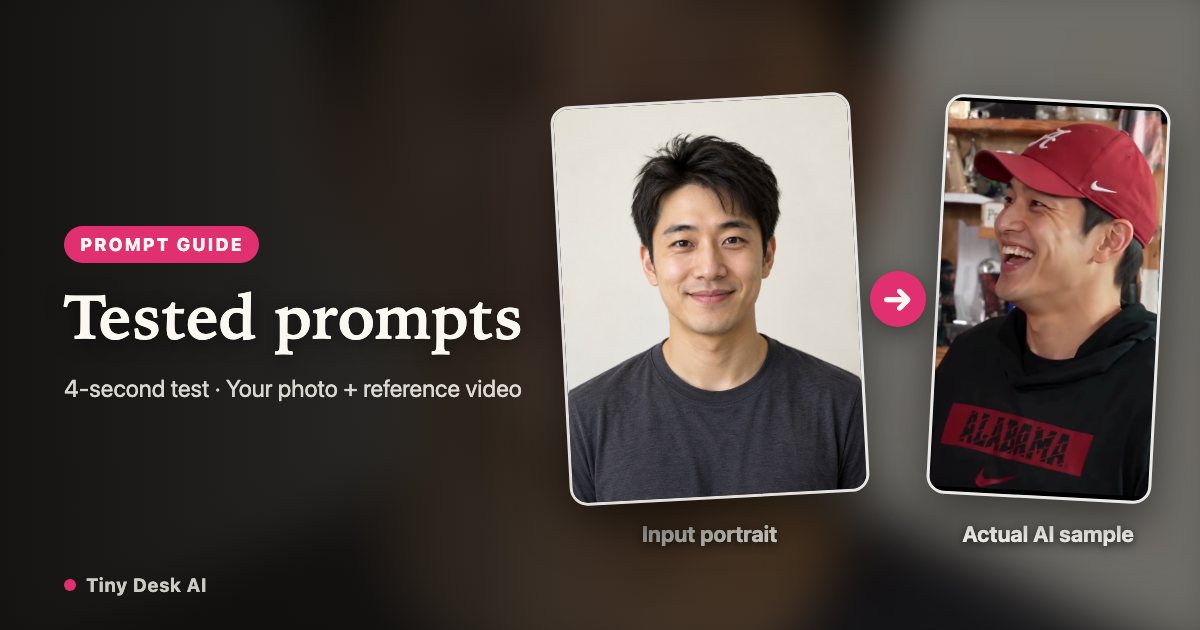
A Tiny Desk AI prompt works with a reference video and portrait images. Below are the exact instructions used for our four-second lead and band tests, with the inputs each needs. If you want the configured 19-second concert instead, choose your photos in the maker.
Make your concert from photos
The maker already has the reference performance and role setup. Choose your lead and optional band portraits without preparing clips or writing instructions.
Use the ready-made concert templateWhat to upload with these prompts
Use a video editor that accepts both reference video and portrait images. Prepare a short performance clip you have permission to use, plus one clear photo per consenting adult. These prompts describe face replacement in that clip; a text-only generator does not receive the same information.
Our tests used Seedance Mini, four-second reference clips and 480p output on October 29, 2026. The red cap, black hoodie and band clothing below identify people in those particular clips. Change those descriptions when your reference is different.
Copy a Tiny Desk AI prompt from our 4-second test
If you prefer to make the edit yourself, use a video editor that accepts both a motion-reference clip and a portrait. Supply a short clip you have permission to use as reference video 1 and a clear adult portrait as reference image 1. A text-only or image-only generator does not receive the same inputs.
The prompt below was used for our 4-second lead-singer sample with Seedance Mini at 480p on October 29, 2026. It targets the red cap and black hoodie in that particular reference. For a different clip, update those descriptions and its duration. The result changed the face, but expressions and mouth movement still need review; an instruction to preserve details is not a guarantee.
Edit the supplied reference video, do not create a new performance. Replace ONLY the facial identity of the single singer with the face from reference image 1. Preserve the original red baseball cap, hairstyle, black hoodie, clothing logos, head and body shape, gestures, hands, mouth movements and expressions, microphone, shelves, background objects, lighting, camera motion, framing and timing. Keep exactly the same 4-second performance. The portrait supplies facial identity only, never its hair, clothing or background. No beauty filter, no new scene, no added person, no text or logo changes.Copy the three-person band prompt
Upload the band reference clip and three portraits in the stated order: image 1 for the front-centre keyboard player, image 2 for the backing singer on the viewer’s left, image 3 for the backing singer on the right. Keep image numbers and positions consistent.
This is the exact instruction used for our separate four-second band test. Assigning three portraits did not make all three faces equally consistent; inspect the output before joining it to another shot.
Edit the supplied reference video while preserving the original performance exactly. There are THREE visible performers. Replace ONLY their faces with the following identity assignments: reference image 1 is the front-center keyboard player wearing a WHITE CAP and BLACK JACKET; reference image 2 is the rear LEFT backing singer wearing a WHITE POLO SHIRT; reference image 3 is the rear RIGHT backing singer wearing a RED TOP and GLASSES. Keep each identity in that assigned role throughout. Keep the original caps, hair, glasses, headphones, microphones, outfits, clothing logos, bodies, hands, gestures, mouth movements, expressions, keyboard and desk objects, shelves, background, lighting, framing, camera motion and timing unchanged. Reference portraits provide faces only: never copy their hair, outfits or backgrounds. Do not swap roles, add people, restyle the scene or change any non-face region. Output exactly the same 4-second performance.What the test results show
The lead result changed the face, and the band result used separate identity references. Facial expressions, mouths and identity consistency still need review. Words such as “preserve exactly” are instructions to the model, not a guarantee that every detail will stay unchanged.
Check the whole clip, especially head turns, microphones crossing faces and the backing singers. Keep the version that follows your intended cast; increasing resolution alone does not fix an unclear portrait or a wrong role assignment.
From a short edit to a complete concert
A four-second test is not a full 19-second concert. To make the whole sequence yourself, prepare and render the required shots, compare faces across cuts, join the clips and add audio you can use. The prompt does not perform those editing steps or supply a recording.
The maker uses the configured performance template for those steps. You choose photos and quality, then review the finished video before downloading. These prompt examples are free to read; generating in another provider or in this maker can still cost credits.
Step into your Tiny Desk AI concert
Start my concert